Engage

Set It and Forget It: WiFi Marketing That Runs Itself

Five triggers cover the moments that matter: a guest connecting for the first time, coming back, a set time after a visit, going quiet for a number of days you choose, and their birthday. Pick a template, choose the venues and switch it on. Campaigns can repeat daily, weekly or monthly to a live audience until a date you set, so a monthly offer to lapsed regulars goes out on its own. Email and SMS run from one guest list captured at WiFi login, and only guests who opted in are emailed. Each automation can carry up to five follow-ups, by email or text message, that stop when the guest comes back, and its Results view shows how many guests were reached, opened, clicked and returned within 30 days.

40-60%

Average Email Opt-In Rate

Under 2 hours

Average Support Reply

11+

Integrations Included

99.9%

Platform Uptime

The Problem

Most venue owners don't have time to write emails, segment lists, or schedule campaigns. Manual marketing is inconsistent and falls off when things get busy.

The CaptiFi Solution

CaptiFi watches each guest's WiFi connections and sends the email you chose when a trigger fires: on a first connection, on a return visit, a set time after a visit, after a chosen number of days with no visit, or on a birthday. Every automation runs for at least one venue and only emails guests who opted in. Campaigns can repeat daily, weekly or monthly to a live audience until a date you set, emailing each guest once unless you choose otherwise. Each automation can carry up to five follow-ups, sent by email or as a text message, each a chosen number of days after the previous one and each with an Only if rule (always, did not open the previous email, did not click, or has not visited again), and the whole sequence can stop when the guest visits again, opens or clicks. A text follow-up goes only to guests who agreed to texts and spends SMS credits, one per message segment. Every automation has a Results view showing guests entered, emailed, opened, clicked and came back within 30 days, per step, and four presets create the common journeys in one click, switched off until you have reviewed them.

Key Benefits

Five triggers: Guest connects (first WiFi connection), Guest returns (second visit or later), After a visit (a set time later, up to a year, on the first visit only or every visit), Guest has not visited (1 to 365 days with no connection) and Birthday

Up to five follow-ups per automation, by email or text message, each a chosen number of days after the previous one and each with an Only if rule: always, did not open the previous email, did not click, or has not visited again. The whole sequence can stop when the guest visits again, opens or clicks

A Results view for every automation: guests entered, emailed, opened, clicked, deferred, skipped with the reason, and came back within 30 days, per step, for the last 30, 90 or 365 days or all time

Four presets created in one click and switched off until you have reviewed them: Welcome new guests, Thank you after a visit, Come back after 60 days with a 14-day follow-up, and Birthday greeting

Recurring campaigns that repeat daily, weekly or monthly until a date, emailing each guest once unless you choose otherwise, with projected sends per run and per month shown against your allowance

Audiences by behaviour: last visit more than or within a chosen number of days, how the guest joined (connected to WiFi or imported contact), and guest tags that automations add or remove as they run

Ready-made templates, chosen per automation, set up for one venue or several

Only opted-in guests are emailed, each guest is enrolled once only or again after a chosen number of days, sends can be held to a window in the venue's time zone, automation emails count towards your monthly email allowance and text follow-ups spend SMS credits

Screenshots

See it in your dashboard
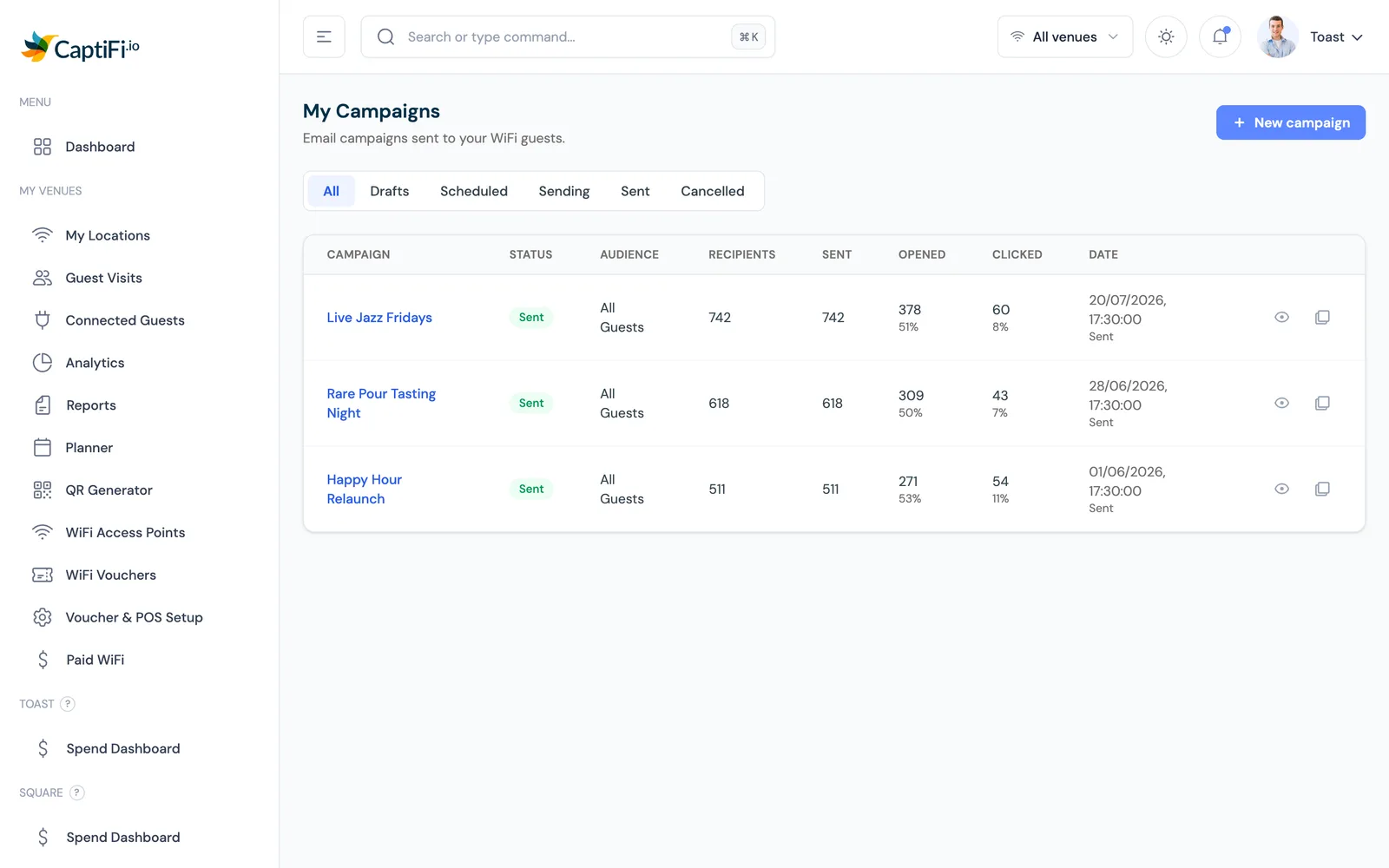
CaptiFi email campaigns list showing each campaign with its open rate and click rate
Your campaign history with open and click rates at a glance.

Every campaign, with real open and click rates

The campaigns view lists every email you have sent alongside the open and click rates it actually achieved. You see at a glance which subject lines pulled people in and which fell flat, so the next send starts from evidence rather than guesswork.

  • Open and click rates tracked per campaign
  • Results visible as soon as sends go out
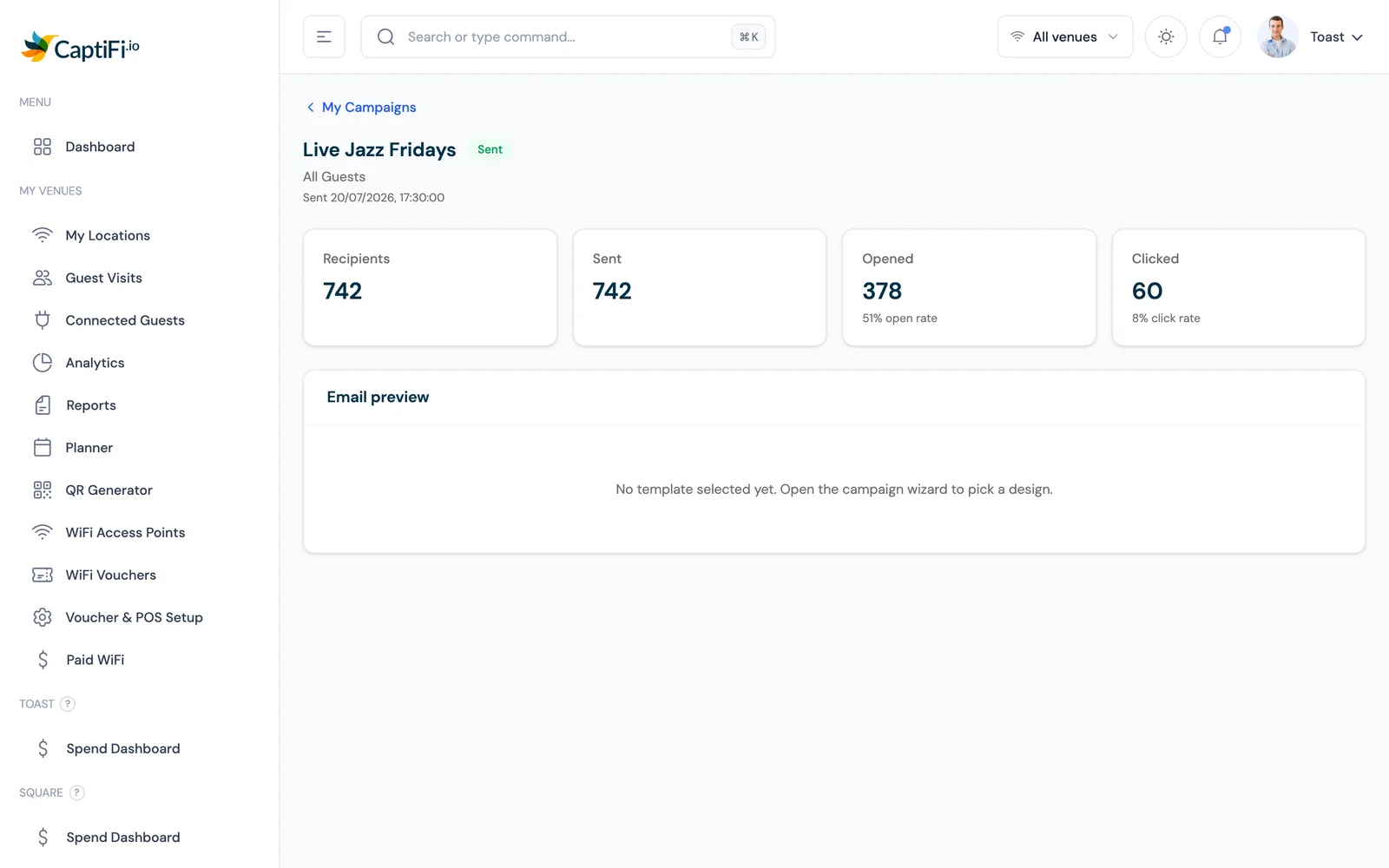
CaptiFi email campaign detail page showing delivery, open and click statistics for a single campaign
Per-campaign results: deliveries, opens and clicks in one view.

Drill into any campaign

Each campaign has its own results page showing exactly how it performed after it left the outbox. Deliveries, opens and clicks sit in one view, so you can compare sends and use what worked as the starting point for the next one.

  • Per-campaign performance in one view
  • Compare sends to see what resonates
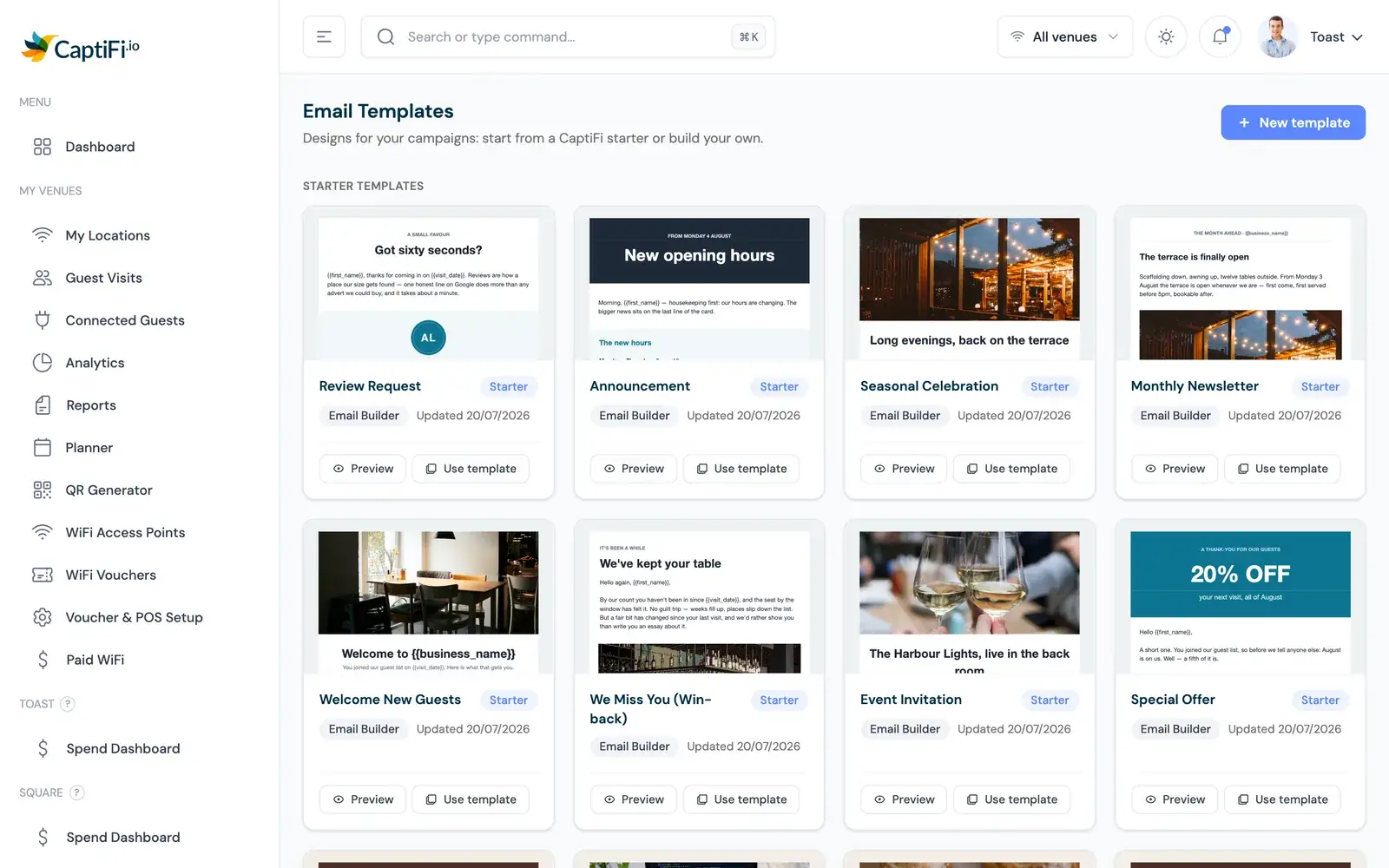
CaptiFi email template gallery with ready-made designs including a review request template
Start from a template: welcomes, offers and review requests ready to go.

Ready-made templates, including review requests

The template gallery covers the messages venues actually send: welcomes, offers, win-backs and a Google review request. Pick one, drop in your branding and go. There is no blank-page problem and nothing to design from scratch.

  • Review request template included
  • Customise with your own branding
How it works

How to set up an email automation from your guest WiFi

1

Start from a preset or choose a trigger

The quickest path is a preset: Welcome new guests, Thank you after a visit, Come back after 60 days (with a 14-day follow-up) or Birthday greeting, created in one click and switched off until you have reviewed it. To build your own, pick the moment the email should go out: Guest connects, Guest returns, After a visit, Guest has not visited, or Birthday.

2

Set the timing

For After a visit, choose how long after the connection the email is sent, up to a year, and whether it runs on the first visit only or on every visit. For Guest has not visited, choose the number of days without a connection, from 1 to 365.

3

Pick a template

Choose a ready-made email template and adjust the wording and offer to suit your venue.

4

Add follow-ups

Add up to five follow-ups, each sent by email or as a text message a chosen number of days after the previous one, and give each an Only if rule: always, did not open the previous email, did not click, or has not visited again. A text follow-up costs one SMS credit per message segment and goes only to guests who agreed to texts. Choose whether the whole sequence stops when the guest visits again, opens or clicks.

5

Choose the venues

Select at least one venue. The automation runs for guests who connect at the venues you pick.

6

Review and switch it on

Check the emails, timing and venues, then turn the automation on. Only guests who opted in are emailed, and the emails count towards your monthly email allowance; if the allowance is spent they wait for the renewal. The Results view then shows guests entered, emailed, opened, clicked and came back within 30 days, per step.

What Our Customers Say

CaptiFi completely changed my business. Before, every guest was a one-time booki...

CaptiFi completely changed my business. Before, every guest was a one-time booking. Now I have a direct line to thousands of people who've stayed in the plane. I can offer them return deals, send updates about new features, and keep them engaged. My repeat booking rate went from almost zero to 35%. It's been incredible.

J

Johnny Palmer

Owner, PytchAir Boeing 727 Airbnb

Related Features

Ready to Turn Your Guest WiFi into Revenue?

Start your 30-day free trial today. Hardware included (refundable hold), no setup costs, cancel anytime.

30 day trial
Hardware included
Cancel anytime